

The short answer
The best Bible app for an iPad if you want to understand what you read is Bible Studies for Women: a full offline Bible with plain-words explanations, and a journal kept on the device ($8.99 a month or $69.99 a year, no free trial). The best free Bible app for iPad is YouVersion, and the best free app for deep study is Blue Letter Bible.
- Best for understanding what you read: Bible Studies for Women, with the Berean Standard Bible, World English Bible or King James Version offline, guided studies at about 5, 10 or 20 minutes, and notes that stay on the iPad ($8.99 a month or $69.99 a year, no free trial).
- Best free iPad Bible app: YouVersion, with 3,500+ versions, reading plans and no ads or in-app purchases.
- Best free for word study: Blue Letter Bible, with a Hebrew and Greek lexicon on every verse. It also runs on the oldest iPads of the six (iPadOS 15.6 or later).
- Best offline study library: Olive Tree, which downloads Bibles and resources and syncs notes across iPhone, iPad and Mac.
- Best for research and teaching: Logos, which needs iPadOS 18.6 or later, so check your iPad before you download it.
Every app was checked against its App Store listing, Google Play listing or official site on November 17, 2026. Prices are in US dollars and can vary by country.
Search results for Bible apps for iPad are mostly old roundups and App Store lists written for iPhones. An iPad changes a few of the questions: how old an iPad the app still runs on, whether your notes follow you to your phone, and whether the app is worth the larger screen.
Each app below was checked against its current App Store listing on November 17, 2026, including the version, the oldest iPadOS it supports, the iPad screenshots in the listing, the price and the App Privacy label. Where a listing does not say something, this guide says "Not stated" and does not guess.
Every app here is listed for iPad. None of the six lists iPad-only features in its App Store description, so the differences that matter are price, translations, study depth, offline use and where your notes live.
At a glance
| App | App Store price and trial | Oldest iPad software it runs on | Offline | Where notes are kept |
|---|---|---|---|---|
 Bible Studies for Women | $8.99/mo or $69.99/yr, no free trial | iPadOS 16.4 | Yes, the whole Bible | On the iPad only, no account. Export as text |
 YouVersion Bible App | Free, no in-app purchases | iPadOS 18.0 | Select versions | A free YouVersion account |
| Bible Study App by Olive Tree | Free. Study Packs $2.99 to $5.99/mo | iPadOS 17.0 | Yes, Bibles and resources | Synced across iPhone, iPad and Mac |
 Blue Letter Bible | Free, no in-app purchases | iPadOS 15.6 | Not stated | Cloud backup. Preferences backed up to iCloud |
 Logos Bible | Free. Plus $4.99/mo, Premium $9.99/mo | iPadOS 18.6 | Not stated | Synced with a free account |
 Dwell: Audio Bible | $9.99/mo or $59.99/yr after a 7-day free trial | iPadOS 17.0 | Downloads for offline listening | Not stated |

Top pick
Members of the Word
1. Bible Studies for Women
Best for understanding what you read on an iPad, with notes that stay on the device
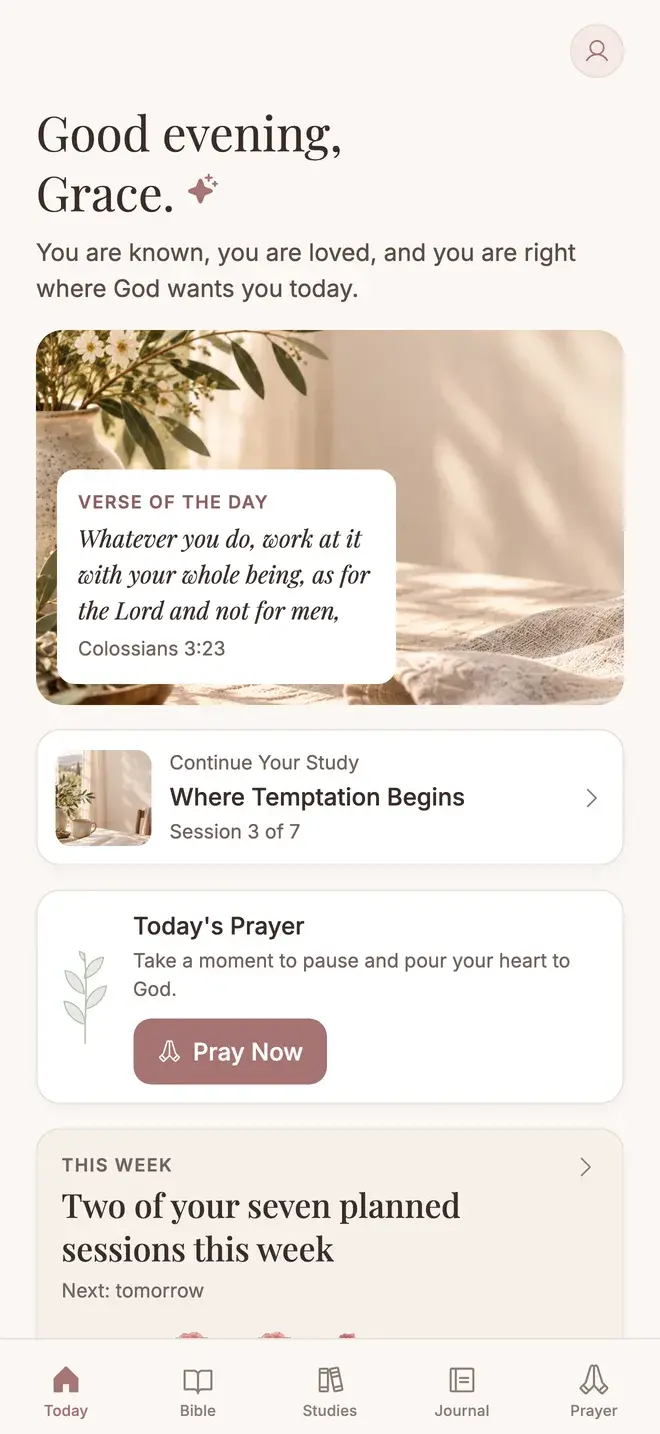
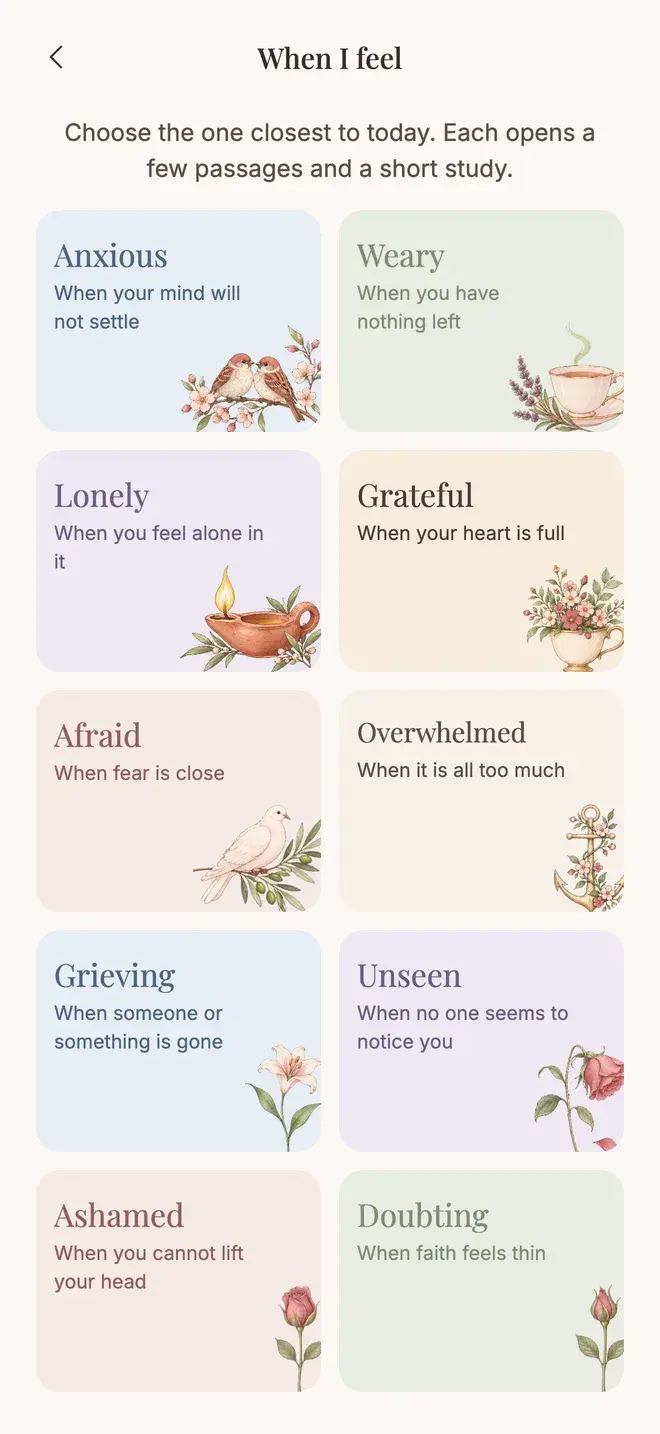
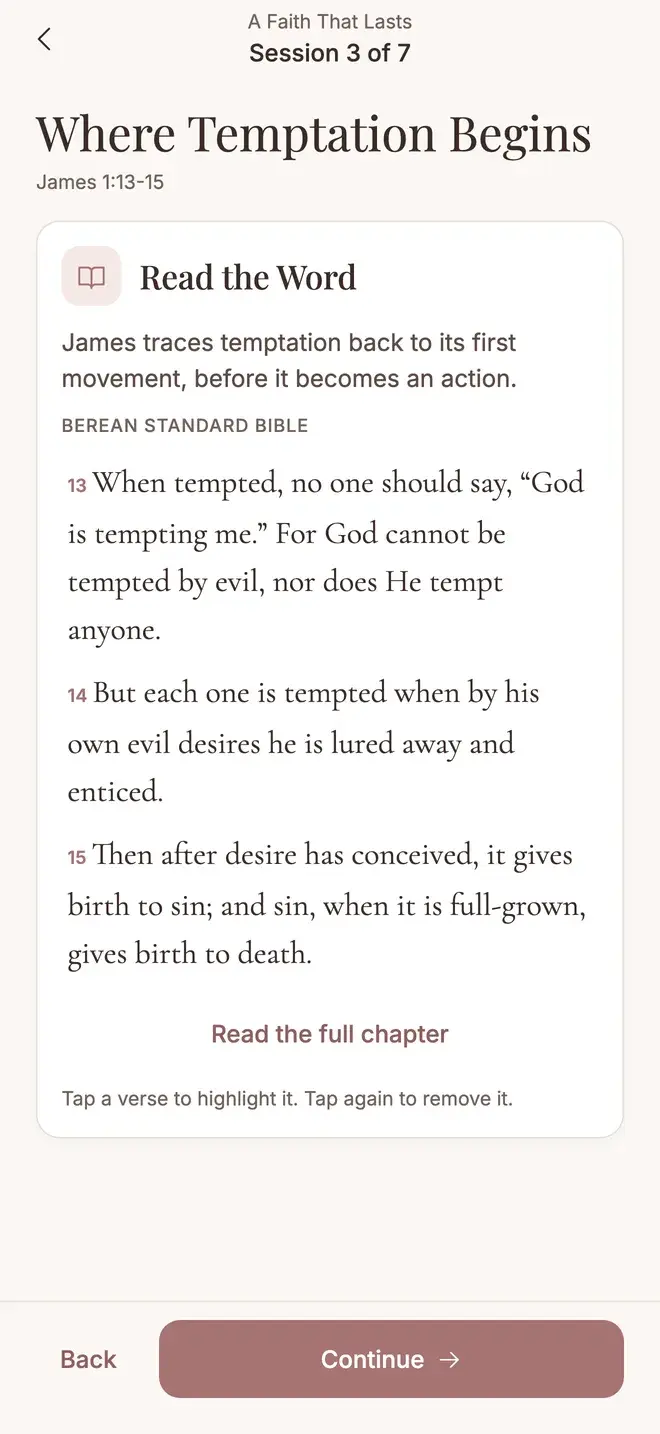
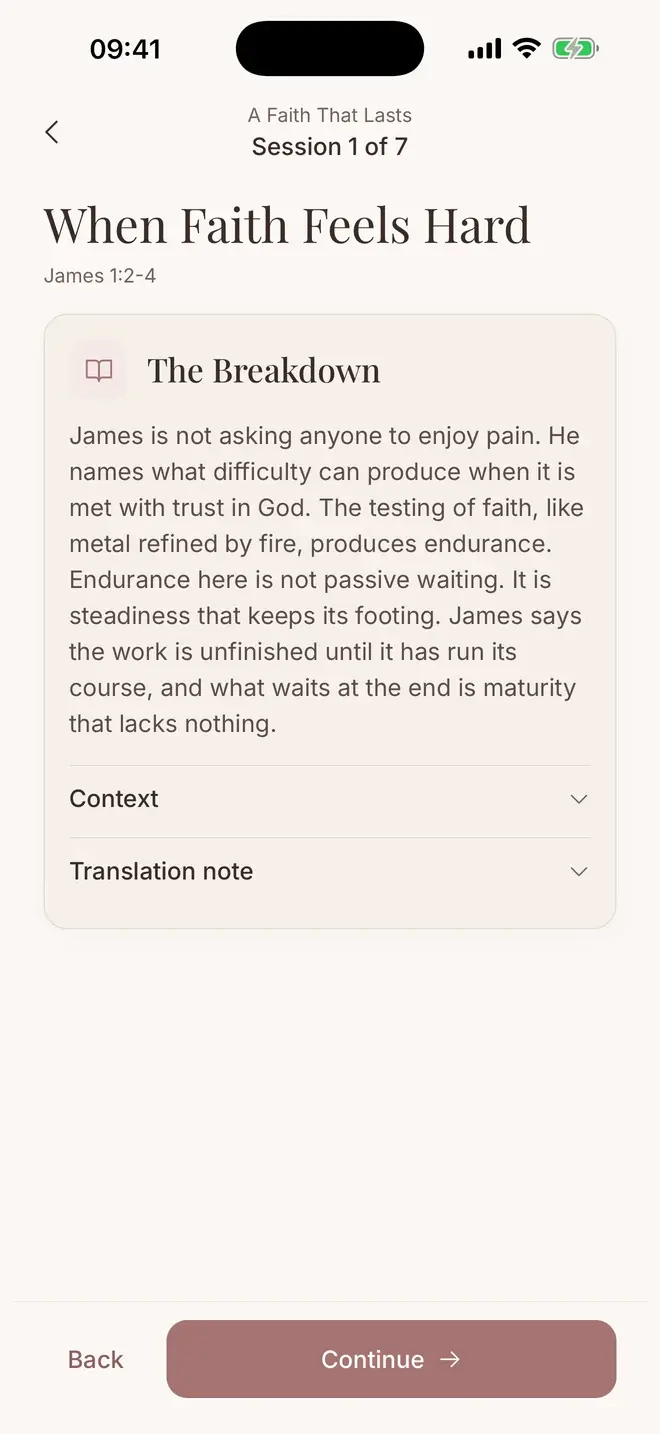
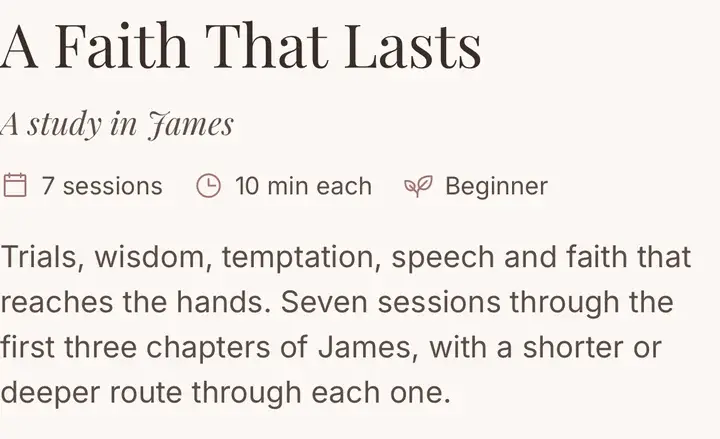
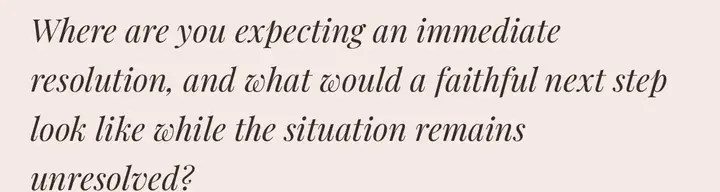
Bible Studies for Women puts a full Bible and guided studies on your iPad. When a passage is hard, The Breakdown explains it in plain words with context and translation notes.
The complete Bible is readable offline in the Berean Standard Bible, World English Bible or King James Version, and you can switch any time in Settings. You can set type size, line spacing and reading theme, so the page suits the way you hold your iPad.
Studies run at about 5, 10 or 20 minutes, as routes through the same study, on the days you choose. Reminders are set on the device itself.
The App Store listing includes iPad screenshots, and the app runs on iPadOS 16.4 or later, which covers more iPads than YouVersion, Logos, Olive Tree or Dwell.
- Best for
- understanding what you read on an iPad, with notes that stay on the device
- Price
- $8.99 a month or $69.99 a year. No free trial
- Platforms
- iPhone, iPad and Android
What stands out
- The full Bible in three translations (BSB, WEB, KJV), 66 books, offline
- Type size, line spacing and reading theme settings
- Plain-words explanations in every study session
- Twelve guided plans plus hundreds of verse studies by subject
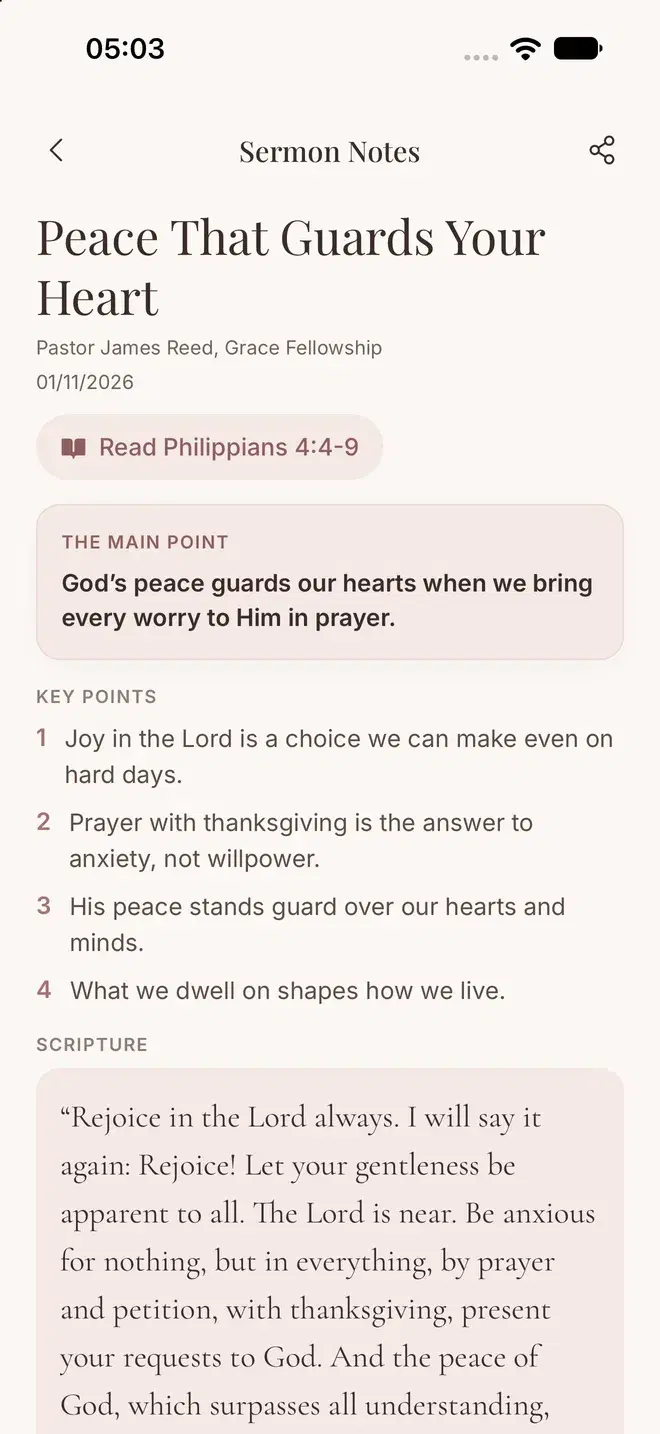
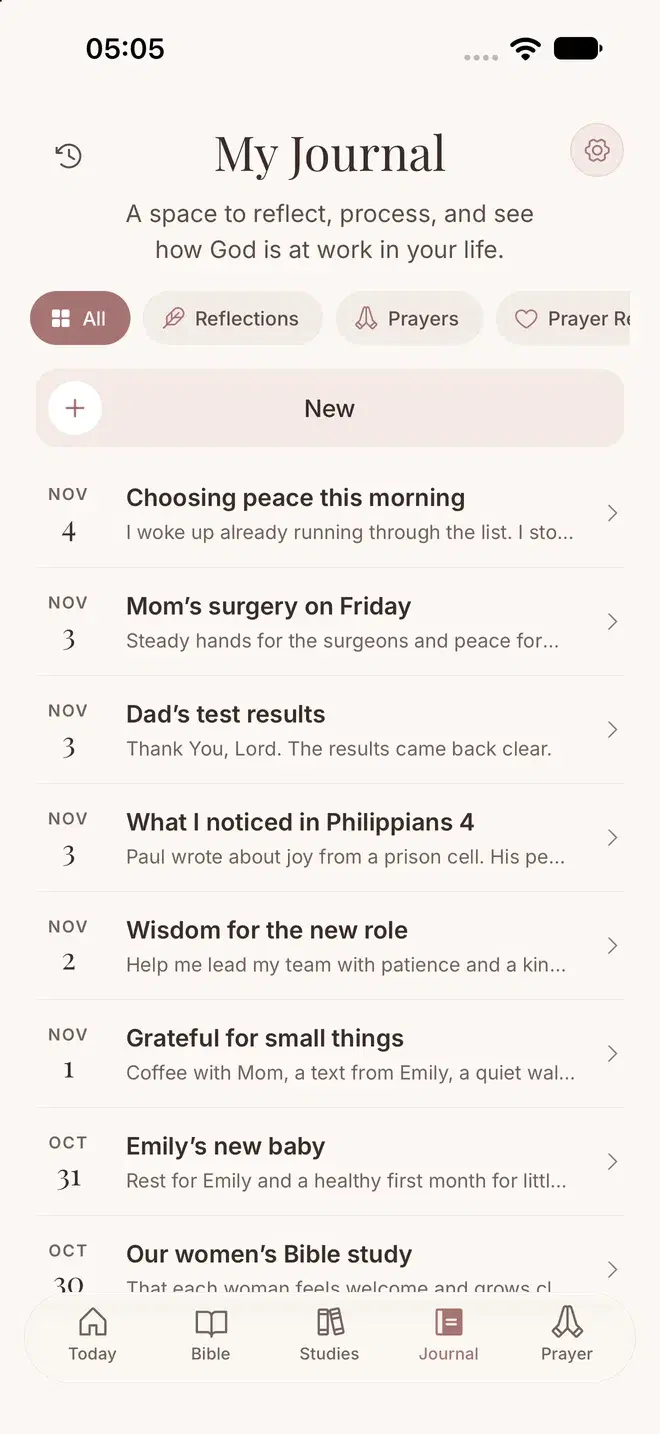
- A private journal stored on the device, exportable any time
Worth knowing
- It has three translations, the BSB, WEB and KJV. If you want a wider choice of modern translations, YouVersion or Olive Tree carry more.
- It costs $8.99 a month or $69.99 a year on the App Store, with no free trial.
- Notes are stored on the device with no account and no iCloud sync, so writing on your iPad does not appear on your iPhone. Export it as a text file to move it, or rely on your iPad's own device backup.

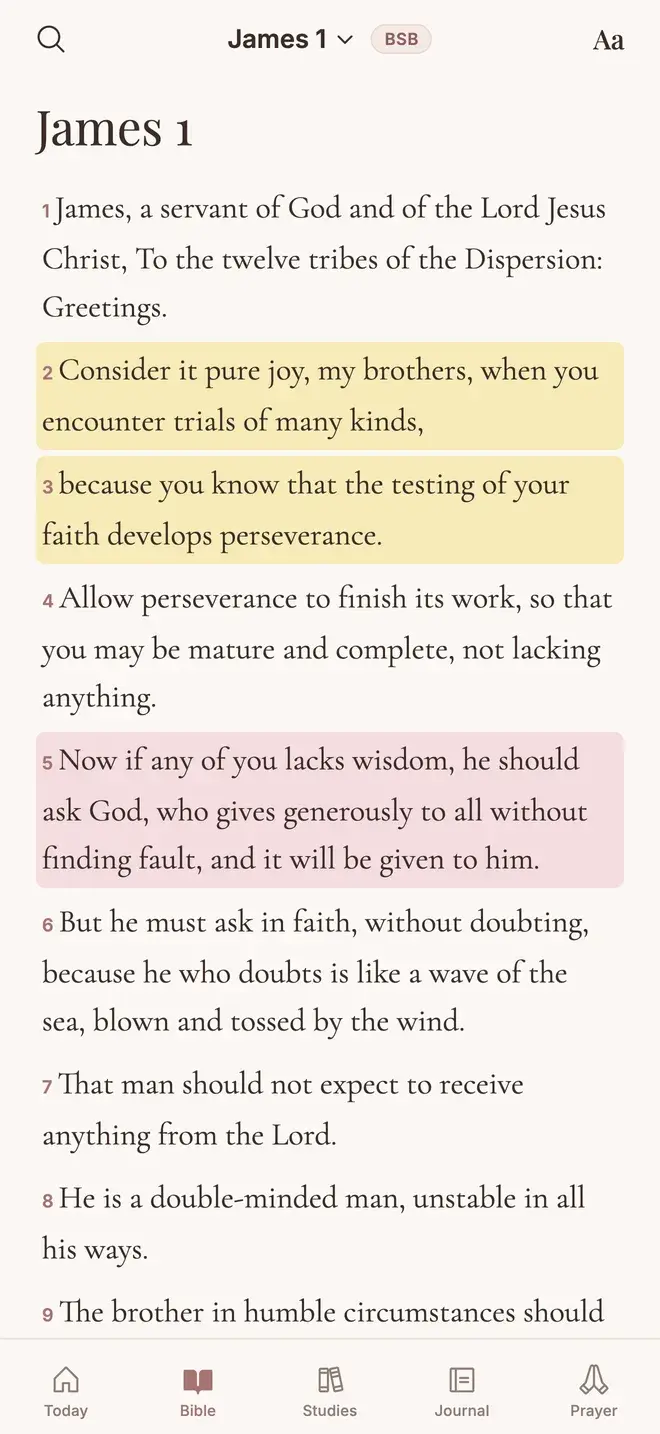
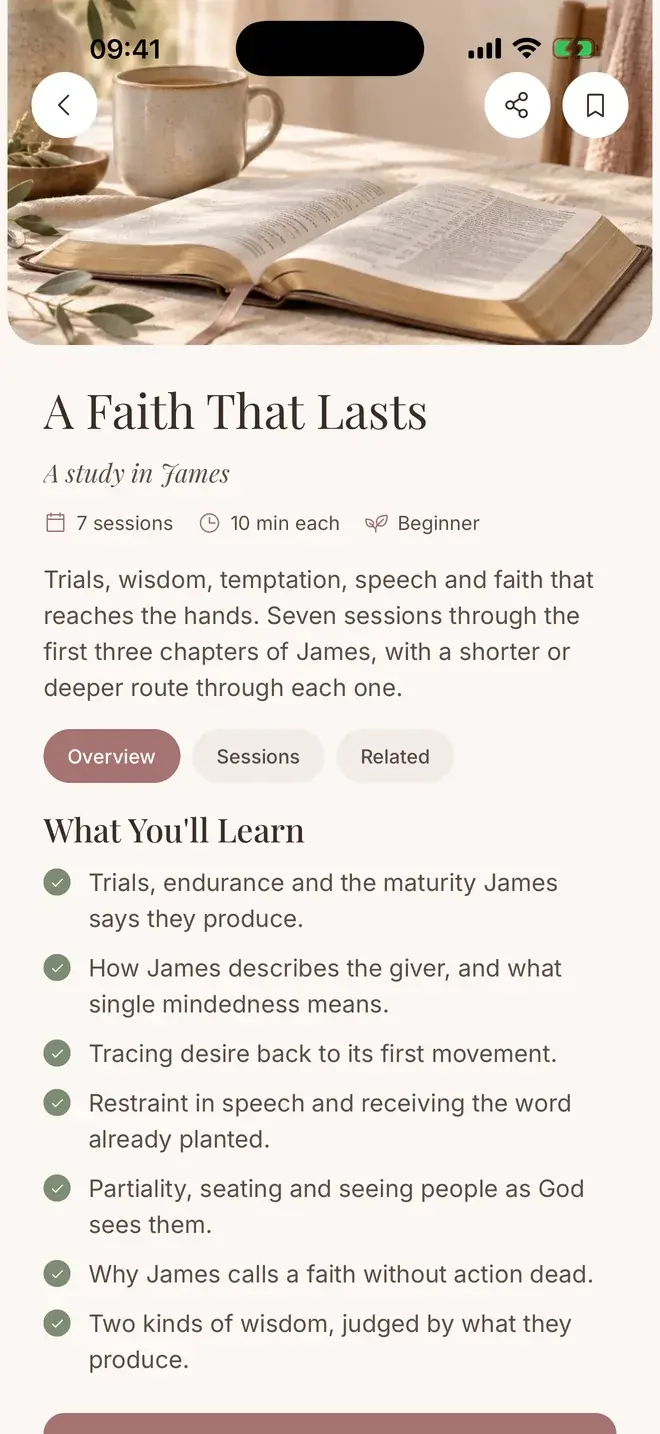
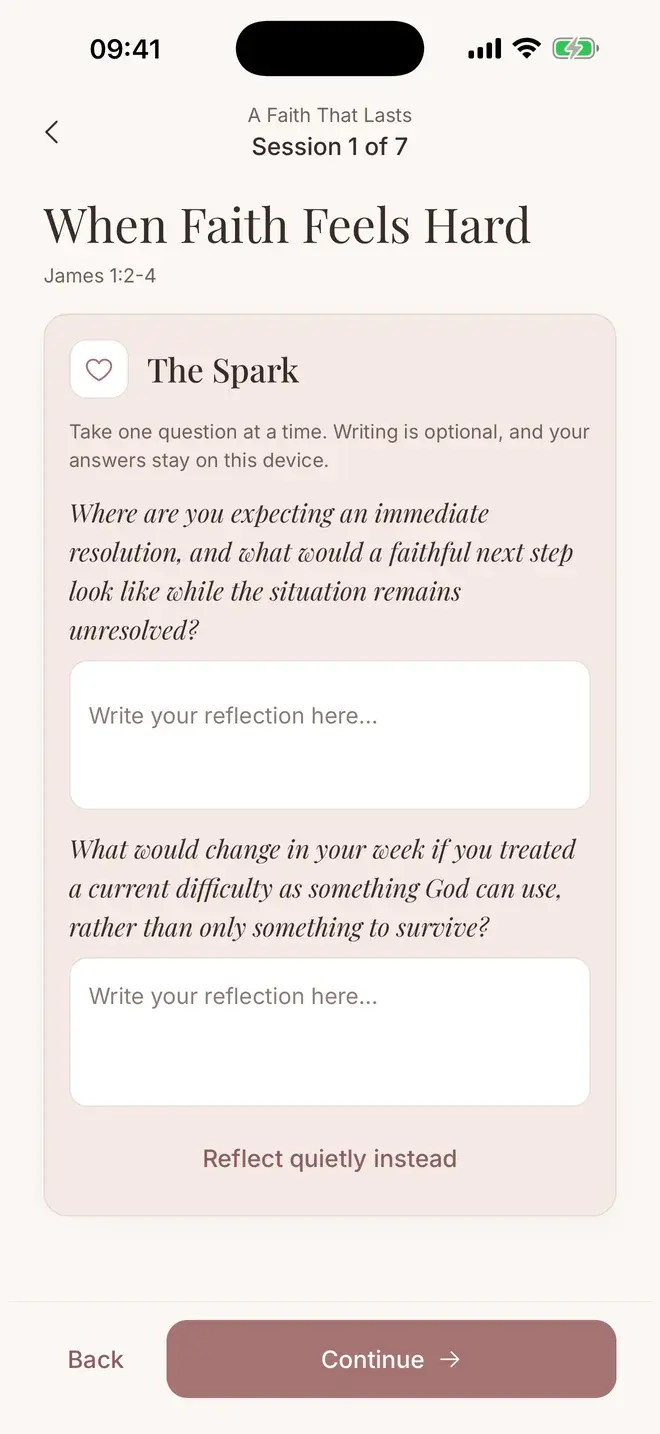
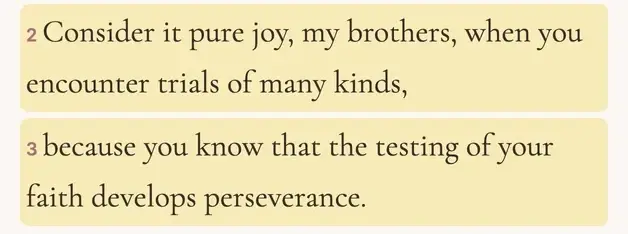
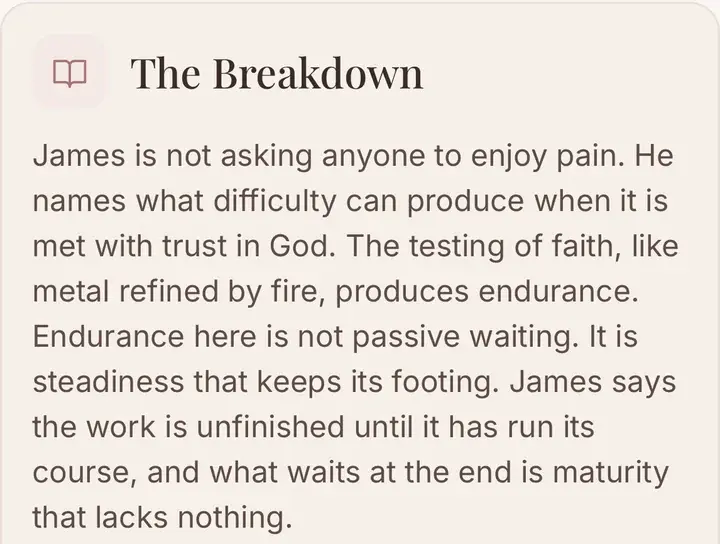

A Bible you can make your own.
Highlight, note and bookmark any verse across the whole Bible, offline.

2. YouVersion Bible App
Life.Church
Best for a free iPad Bible with the most translations and reading plans
YouVersion is the best free Bible app for iPad. It is listed simply as "Bible" on the App Store, with 3,500+ versions, thousands of reading plans and no ads. Its listing has about 13.9 million ratings averaging 4.9, and the App Store listing shows 9 iPad screenshots.
Notes, highlights and bookmarks sync through a free account, so what you mark on your iPad is there on your phone. The current version, 11.36.0, was released on November 12, 2026.
- Best for
- a free iPad Bible with the most translations and reading plans
- Price
- Free. No ads or in-app purchases
- Platforms
- iPhone, iPad and Android
What stands out
- 3,500+ versions and thousands of reading plans
- Offline reading for select versions
- Notes, highlights and bookmarks synced with a free account
- Also runs on iPhone, Apple TV and Apple Vision Pro
- No ads or in-app purchases
Worth knowing
- It needs iPadOS 18.0 or later, so older iPads that stopped at iPadOS 17 cannot install the current version.
- Its App Privacy label lists data linked to you, such as email address and user content, which fits syncing notes to an account. Study notes are thin next to Olive Tree or Logos.
YouVersion Bible App on App Store YouVersion Bible App on Google Play YouVersion Bible App on Website
3. Bible Study App by Olive Tree
Gospel Technologies
Best for an offline study library that syncs across iPad, iPhone and Mac
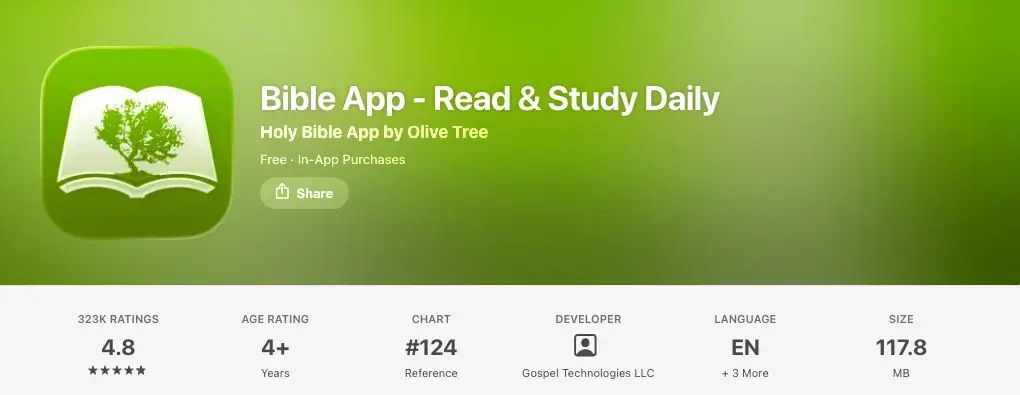
Olive Tree downloads Bibles and study resources to the device, so your whole library works offline with no signal. Its listing shows 10 iPad screenshots and about 326,000 ratings averaging 4.8.
Its Study Center follows the passage you are reading, and tapping a verse number compares it across every translation you have installed. Notes sync across iPad, iPhone and Mac.
- Best for
- an offline study library that syncs across iPad, iPhone and Mac
- Price
- Free app. Study Packs $2.99 to $5.99 a month, resources sold individually
- Platforms
- iPhone, iPad and Android
What stands out
- Five free translations: ESV, NIV, KJV, NKJV and CSB
- Study Center beside the text
- Verse compare across installed translations
- Full offline Bibles and resources
- Notes and highlights synced across devices
Worth knowing
- The best resources are paid: the ESV Study Bible is $47.99 on the App Store.
- It needs iPadOS 17.0 or later.
Bible Study App by Olive Tree on App Store Bible Study App by Olive Tree on Google Play Bible Study App by Olive Tree on Website

4. Blue Letter Bible
Blue Letter Bible
Best for free word study on an iPad, including older models
Blue Letter Bible is free with no in-app purchases, and the same App Store app runs on iPhone, iPad and Macs with Apple silicon. Its listing has about 361,000 ratings averaging 4.9.
It links a Hebrew and Greek lexicon to every verse, with 30+ translations, commentaries and concordances. It runs on iPadOS 15.6 or later, the oldest requirement of the six. Its App Privacy label lists only data not linked to you.
- Best for
- free word study on an iPad, including older models
- Price
- Free. No ads or in-app purchases
- Platforms
- iPhone, iPad, Mac and Android
What stands out
- Hebrew and Greek lexicon on every verse
- CSB installed, with ESV, LSB and NASB as free downloads
- Text and audio commentaries, plus audio Bibles
- Notes and highlights with cloud backup
- Preferences backed up and restored through iCloud
Worth knowing
- Its tool-rich screens can feel technical for a first-time reader.
- It has fewer reading plans and devotional features than YouVersion.
Blue Letter Bible on App Store Blue Letter Bible on Google Play Blue Letter Bible on Website
5. Logos Bible
Faithlife
Best for research and teaching on an iPad
Logos gives you 40+ free Bibles and books with a free account, including commentaries and the Faithlife Study Bible. Its listing shows 8 iPad screenshots and about 178,000 ratings averaging 4.9.
Its Study Assistant answers questions using only your Logos books, with limited free uses. Version 55.0.0 was released on November 17, 2026.
- Best for
- research and teaching on an iPad
- Price
- Free. Plus $4.99 a month or $49.99 a year. Premium $9.99 a month or $99.99 a year
- Platforms
- iPhone, iPad and Android
What stands out
- 40+ free Bibles and books
- Study Assistant and Smart Search (limited free uses)
- Factbook on people, places and ideas
- Custom reading plans
- Notes that sync across devices
Worth knowing
- It needs iPadOS 18.6 or later, the newest requirement of the six, so it will not install on an iPad that stopped at an earlier version.
- Most of the library and more AI use sit behind Plus or Premium, and Bibles such as the ESV are $9.99 each. It is built for deep study, so it is heavier than a simple daily reader.
Logos Bible on App Store Logos Bible on Google Play Logos Bible on Website

6. Dwell: Audio Bible
Dwell App, LLC
Best for listening to Scripture on an iPad, with offline downloads
Dwell narrates the whole Bible with 20+ voice recordings in 14 translations, with Read Along text that scrolls with the narrator. Its listing shows 10 iPad screenshots and about 88,000 ratings averaging 4.9.
Downloads play offline, and sleep mode suits listening at night. The App Store lists iPhone, iPad and Apple silicon Macs, and the app needs iPadOS 17.0 or later.
- Best for
- listening to Scripture on an iPad, with offline downloads
- Price
- $9.99 a month or $59.99 a year after a 7-day free trial
- Platforms
- iPhone, iPad, Mac and Android
What stands out
- 20+ voice recordings in 14 translations
- Read Along text in sync with the narrator
- 75+ listening plans
- Sleep mode and Repeat and Reflect
- Downloads for offline listening
Worth knowing
- There is no free tier beyond the 7-day trial, and the App Store also lists a $69.99 yearly option.
- Its App Privacy label includes "Data Used to Track You".
Dwell: Audio Bible on App Store Dwell: Audio Bible on Google Play Dwell: Audio Bible on Website
What matters in a Bible app on iPad
All six apps are listed for iPad on the App Store. These are the questions that separate them.
- Which iPad you have: Blue Letter Bible runs on iPadOS 15.6 or later and Bible Studies for Women on 16.4. Olive Tree and Dwell need 17.0, YouVersion 18.0 and Logos 18.6. An older iPad that cannot update past iPadOS 17 rules out the last two.
- Notes across devices: YouVersion, Olive Tree and Logos sync notes through an account, so your iPad and iPhone match. Bible Studies for Women keeps them on the one device with no account, and exports them as text.
- Offline: Olive Tree and Bible Studies for Women state full offline use. YouVersion works offline for select versions. Dwell downloads audio for offline listening.
- Translations: YouVersion carries 3,500+ versions. Bible Studies for Women has the BSB, WEB and KJV, all public domain.
- Cost: YouVersion and Blue Letter Bible are free with no in-app purchases. Logos and Olive Tree are free to start and charge for more. Bible Studies for Women and Dwell are subscriptions.
App Privacy labels, compared
Every App Store page has an App Privacy section, filled in by the developer and not verified by Apple. Here is the top level of each label on November 17, 2026.
- Data Not Linked to You only: Blue Letter Bible.
- Data Linked to You, no tracking: YouVersion, Olive Tree and Logos, which sync notes to an account.
- Data Used to Track You: Dwell.
Do you need a Bible app on your iPad at all?
The larger screen suits side-by-side study: a Bible on one side and your notes or commentary on the other. If you mostly read a verse and move on, any of the free apps here does the job.
If you want a short guided study each day with the explanation built in, pick Bible Studies for Women. If you want a free library, pick YouVersion. If you want lexicons and commentaries, pick Blue Letter Bible or Logos.
On an iPhone instead? See the guide to the best Bible apps for iPhone, or the full comparison of the best Bible apps. For a short daily reading, see the best Bible devotional apps. You can get Bible Studies for Women on the iOS App Store and Google Play.
Which one should you choose?
You want to understand what you read, with notes on your iPad only
Bible Studies for Women. Plain-words explanations in every study, an offline Bible, and your writing stays on the device.
You want the best free Bible app
YouVersion Bible App. Free with no ads, 3,500+ versions and notes that sync to your phone.
You want your study library offline and synced
Bible Study App by Olive Tree. Bibles and resources download to the device, with notes synced across iPad, iPhone and Mac.
You want free word study, or you have an older iPad
Blue Letter Bible. Lexicons and commentaries, free, and it runs on iPadOS 15.6 or later.
You want research tools and AI search of your own books
Logos Bible. The deepest library of the six, on iPadOS 18.6 or later.
You want to listen to the Bible
Dwell: Audio Bible. Narrated Bibles in 14 translations with offline downloads.
How the apps were chosen
The six apps were chosen from the Bible apps that rank for iPad searches today and that list iPad support on the App Store, then each current App Store listing was checked on November 17, 2026.
For every app this guide records the App Store price and trial, the oldest iPadOS it runs on, offline reading, where notes are kept and the App Privacy label. Where a listing did not say, it reads "Not stated".
Bible Studies for Women is placed first as the pick for understanding what you read, with notes kept on the device. YouVersion is the better free choice, and Logos and Olive Tree go deeper on research.
Frequently asked questions
What is the best Bible app for iPad?
For understanding what you read, Bible Studies for Women, with guided studies, plain-words explanations and an offline Bible. For a free app, YouVersion. For free word study, Blue Letter Bible.
What is the best free Bible app for iPad?
YouVersion: it is free with no ads or in-app purchases, with 3,500+ versions and reading plans. For free study tools, Blue Letter Bible is also free with no in-app purchases.
Which Bible apps work on an older iPad?
Blue Letter Bible runs on iPadOS 15.6 or later and Bible Studies for Women on 16.4 or later. Olive Tree and Dwell need 17.0, YouVersion needs 18.0 and Logos needs 18.6. Check your iPad under Settings, General, About.
Can I read the Bible offline on my iPad?
Yes. Bible Studies for Women and Olive Tree work fully offline, YouVersion works offline for select versions, and Dwell lets you download audio. Blue Letter Bible does not state offline reading on its listing.
Will my notes sync between my iPad and iPhone?
In YouVersion, Olive Tree and Logos, yes, through an account. Bible Studies for Women keeps notes on the device only, with no account, so use its text export to move them.
Is there a Bible app that reads aloud on iPad?
Dwell narrates the whole Bible with 20+ voice recordings, and costs $59.99 a year after a 7-day trial. Blue Letter Bible includes audio Bibles for free, and YouVersion has free audio for select versions.
Which Bible app is best for Bible study, not just reading?
Logos and Olive Tree are the deepest libraries, and Blue Letter Bible gives free lexicons. For a short daily study with the explanation written in, see the Bible Studies for Women app.